
New to HSN? $10 off your first order with code HSN2025. Exclusions apply. See Details.
921-484
Shop all HP
HP
![]()
 https://i02.hsncdn.com/is/image/HomeShoppingNetwork/rocs1200/hp-14-touch-intel-128gb-ssd-laptops-woffice-and-hp-prot-d-20251024125602387~921484_WPQ.jpg

921-484
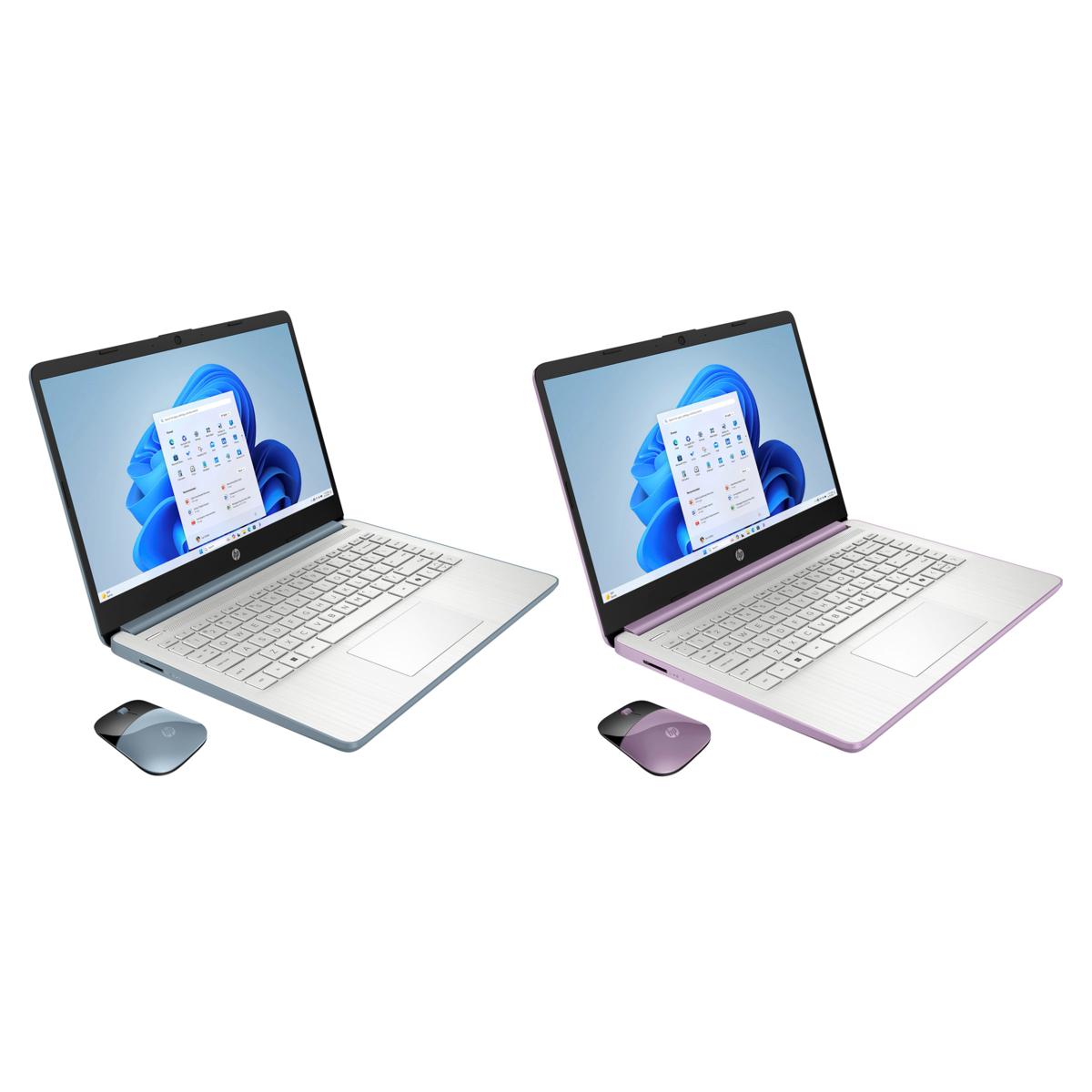
HP 14" Touch Intel 128GB SSD Laptops w/Office & HP Protection 2-Pack
Prices and the availability of FlexPay shown on the previously recorded video may not represent the current price options. Consult the product page for current price options.
Image 1 of 1
Prices and the availability of FlexPay shown on the previously recorded video may not represent the current price options. Consult the product page for current price options.
Image 1 of 13
$719.99
or 5
of $144.00
S&H: $25.47
Payments as low as $144.00
If Purchased Separately value: $3,151.04
Offers & Perks
-
-
18 Months VIP Financing. see details
-
Save $25 when you open an HSN Card. Learn How & Apply
HSN Card and QCard perks Apply online or call 1-800-695-1418.
HP 14" Touch Intel 128GB SSD Laptops w/Office & HP Protection 2-Pack
These laptops, thin and light, are designed to take anywhere. Enjoy flicker-free images on a micro-edge display, reliable performance for every day with an Intel processor, 128GB Universal Flash Storage (UFS) as well as the Copilot Key for ease of use and enhanced productivity with AI. You receive a complete set of 2.
Good to Know
These laptops, thin and light, are designed to take anywhere. Enjoy flicker-free images on a micro-edge display, reliable performance for every day with an Intel processor, 128GB Universal Flash Storage (UFS) as well as the Copilot Key for ease of use and enhanced productivity with AI. You receive a complete set of 2.
What You Get
- (2) 14" Notebooks with touch screen
- (2) Power supplies
- (2) HP Wireless mice
- (2) Computer Reference Guides
- (2) PC Software and Services
- (2) Microsoft Office 365 for 1-year
- (2) HP Services Accidental Damage Protection for 1-year
- (2) Smart Friend Complete for 2-years
- (2) Find My HP for 3-years
Good to Know
- Initial Boot-UP: To ensure you receive new features and a better-running PC, Microsoft is continuously updating its Windows operating system. For optimal performance, HP recommends completing the Microsoft updates following your initial boot-up. Depending on the number of updates available, it may take up to several hours to complete this process. During this time, your PC responsiveness may not be optimal and occasionally your PC may need to restart installing the updates.
- Windows 11 in S mode is designed for security and performance, exclusively running apps from the Microsoft Store. If you want to install an app that isn't available in the Microsoft Store, you'll need to switch out of S mode. Switching out of S mode is one-way. If you make the switch, you won't be able to go back to Windows 11 in S mode.
HP

Remind me about upcoming HP shows.
When To Watch
Thu
Dec 25
9-10a ET
Electronic Connection
with Host
with Host
Add To Calendar

Thu
Dec 25
11-12p ET
Electronic Connection
with Host
with Host
Add To Calendar
Thu
Dec 25
3-4p ET
Electronic Connection
with Host
with Host
Add To Calendar